Quests
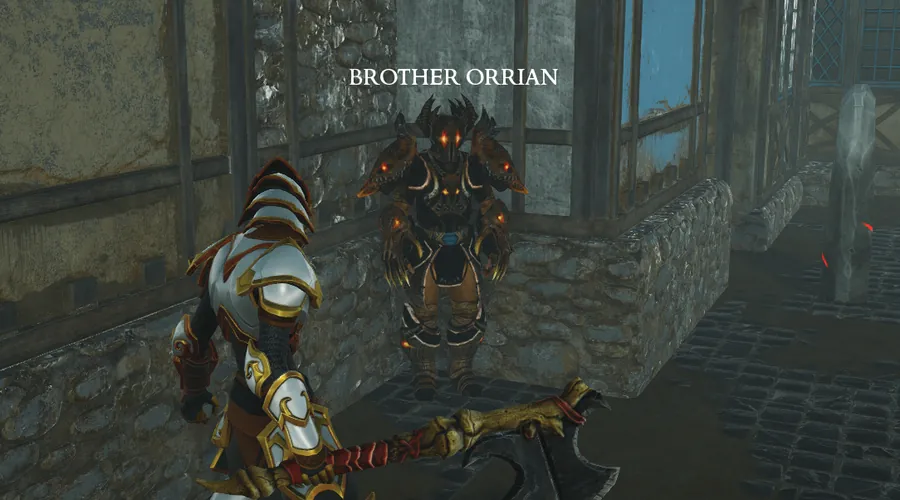
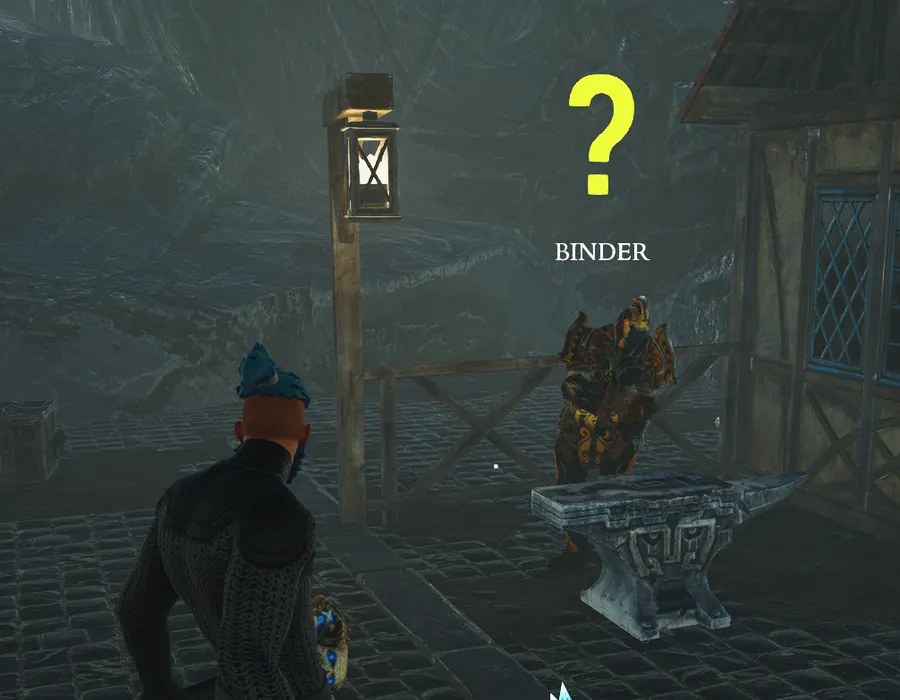
Quests are received from Binder in Town. Active quests are shown on your HUD underneath the minimap. Once a quest has been completed, turn it back in to Binder to receive the quest rewards.
91 entries. Keys shown are the defaults.
Quests are received from Binder in Town. Active quests are shown on your HUD underneath the minimap. Once a quest has been completed, turn it back in to Binder to receive the quest rewards.
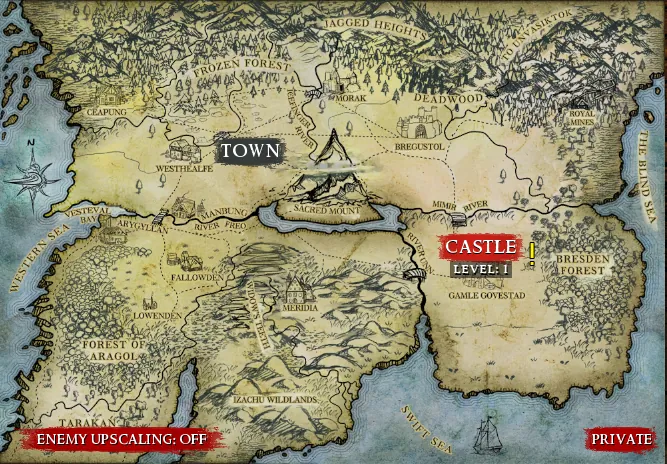
The World Map displays all locations which you can currently travel to. Click on a location to travel there. In Town, any party member can propose a map or Crusade: everyone presses Ready (Y by default) to launch, the host can hold Ready to force the launch, and the proposer can press Ready again to withdraw.
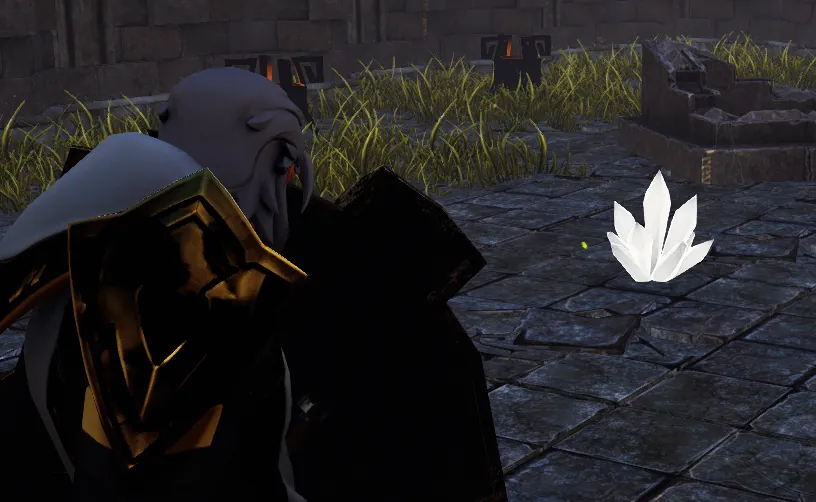
Some maps have a chance to randomly spawn Loot Crystals. Once attacked, these crystals will spawn a number of elites to protect themselves. If all elites are destroyed, the Crystal breaks into many crafting items.
Items auto-vacuum to you once combat ends. You can manually vacuum items to you at any time.
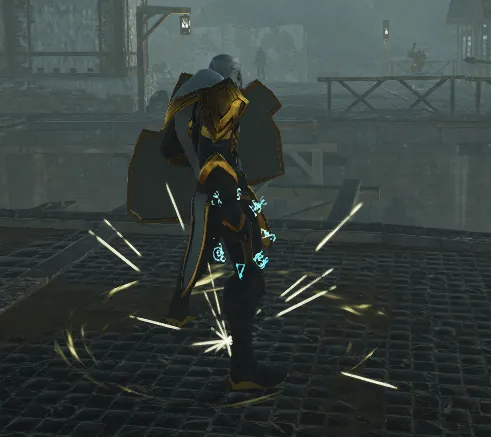
While out of combat, you will regenerate your resources and cooldowns quickly.
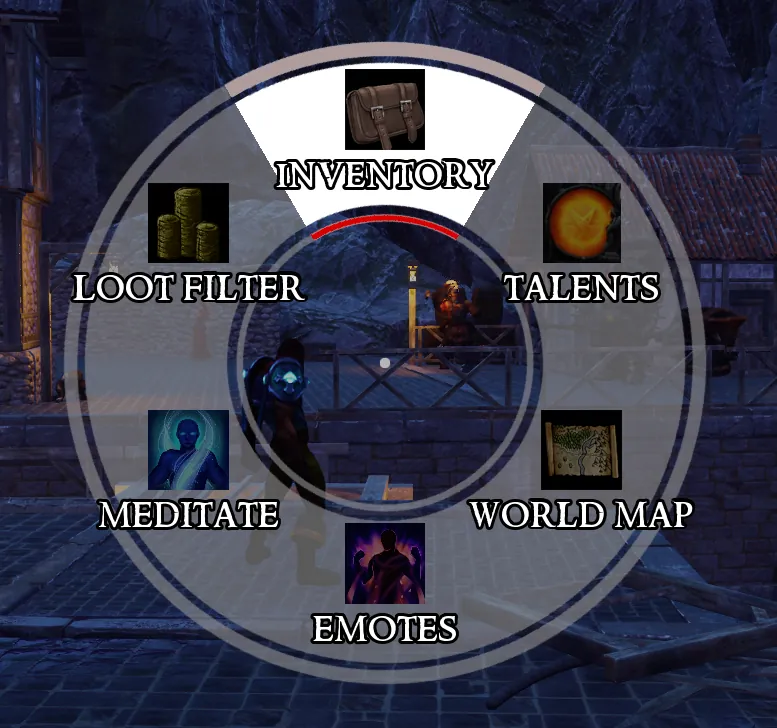
Hold the Radial Menu key (middle mouse by default; a tap is Ping) to access many actions, including emotes, the World Map and the Loot Filter.
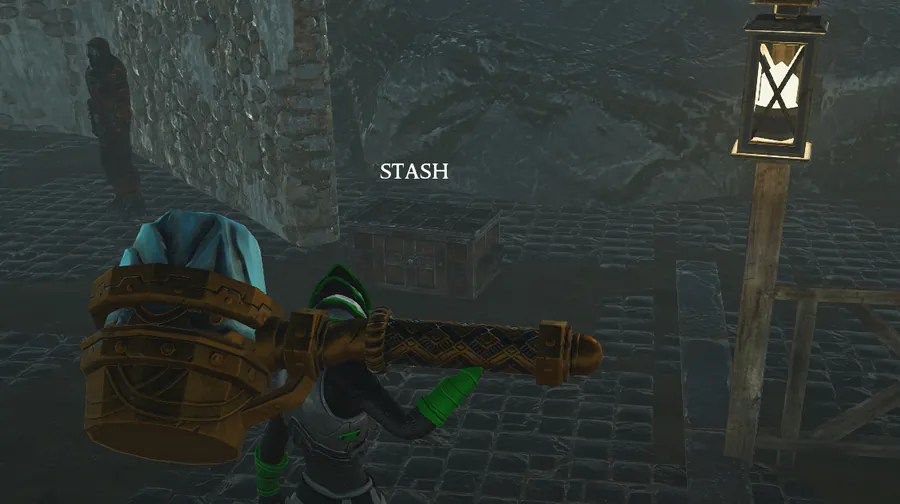
The stash in town is account-wide and can be used to share items with your own characters. Hardcore characters have their own stash. You can rename your stash tabs by right-clicking them.
After completing the Campaign, the Obelisk in Town will grant you access to Crusades. Crusades consist of 11 Tiers. Higher Tiers increase enemy level, health, damage, and base Magic Find. New maps unlock with each Tier. Map difficulty can be upgraded with Crusade mods, which cost Crusadium. Clearing your highest Tier with enough mods active unlocks the next Tier (up to 8 mods from Tier 9).
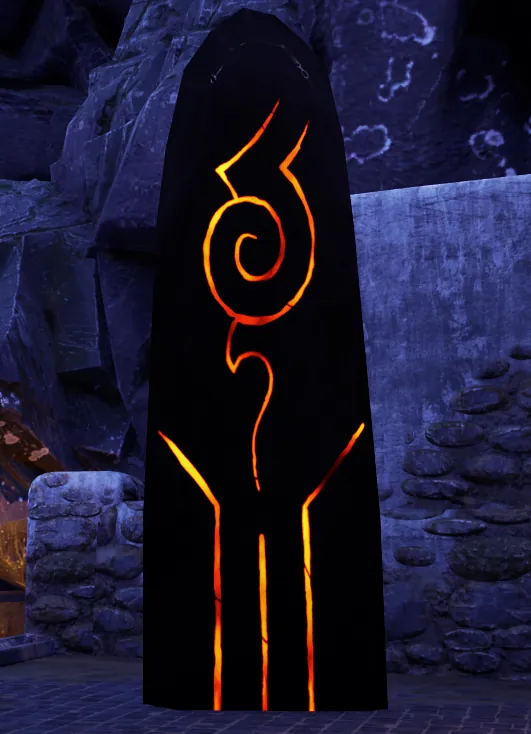
The Obelisk's Crusade Tree grants points for Crusade milestones: the first clear of each map and each Tier, an 8-mod clear at each Tier, clearing the Archives Exterior raid and clearing it with 8 mods, and every third optional encounter you complete, up to thirty. That is 45 points in all. Spend them to make shrines, goblins, strongboxes, mini-dungeons and the Descent more common, shrines last longer, mods cost less and rewards grow richer.
Clearing a pack of enemies has a chance to raise a Shrine where they stood. Hit the Shrine to bless your whole team for 30 seconds. Red: 30% more damage. Orange: +30% Critical Strike Chance. Violet: +50% Movement Speed and immunity to crowd control. Pale blue: 30% less damage taken. Green: +15 Health Regeneration. Blue: +15 Mana Regeneration. Yellow: +100% Magic Find. Magenta: cooldowns and charges recover 50% faster.
During Crusades, a cleared pack can leave a Strongbox behind. Activate it to release its guards, a full pack with a 25% chance of a boss. Clear them and every player receives high quality equipment, gold and a bonus by chest colour: enchanted items, two legendaries, Runestones, or a pile of crafting items.
During Crusades, a goblin may travel with a pack. Goblins do not fight; they run to wake the next pack and flee every time they are hit. Kill one for gold and a prize by type: enchanted items, crafting items, Gamba, or a legendary. Every player and Companion receives a full set.
During Crusades, a cleared pack can open a portal to a mini-dungeon. Fight through its rooms to the boss for themed loot; the portal's colour hints at the treasure. Mini-dungeon bosses drop half Crusadium and no Shards of Ascension. The entry portal stays open until everyone has returned.
If your whole party falls in a Crusade before the map boss is beaten, you may Respawn Nearby once per Crusade, as long as every player has reached the boss door. The party revives at the boss door with flasks, cooldowns and Super charge refilled. Otherwise the only choice is Ready for Town, and the Crusade is lost.
During Crusades, a monster may stand bound in a rune circle from the start of the map. Examine the Seal to choose one of three Binding combinations. Higher tiers add more modifiers and Health, and set the reward tier: high quality equipment, favored crafting items, gold and Gamba. Hover a card for full modifier details. Higher Sealed tiers unlock at Crusade Tiers 3, 5, 7, 9 and 11.
During Crusades, a rival crusader may await you in real gear. Defeat them and choose: TAKE the Amulet of the Forsworn, BREAK their oath to loot their gear, or BIND them to your cause as a Companion.
During Crusades, a cleared pack can tear open a Descent portal. Only one player can descend. Survive 30 seconds against endless demons: every normal demon slain adds 1 Hellcinder and every elite 5, raised by the Crusade's Magic Find, and the reward drops where you left. Spend Hellcinder with Orra, the Cinderwife, in Town.
Orra, the Cinderwife in Town, weaves your Dark Pattern in the Iron Womb. Spend 300 Hellcinder to Deliver a Brood of 3 items at your level. Your lifetime Hellcinder earns up to 25 points to spend on nodes that steer the slot, weapon type, influence, mods, quality, enchants and legendary odds of what is born. Nodes can be refunded freely.
Clearing a Tier 8 or higher Crusade with 8 mods active drops a Shard of Ascension from the map boss: Ember Core (Temple of Fire), Tidal Shard (River Valtorin), Zephyr Crown (Avatar's Reach) or Deathmark Seal (Wythmere City). Holding all four unlocks the Archives Exterior raid at the Obelisk, free to run at Tier 11. Completing it grants raid-exclusive legendaries and the Vestige, which unlocks the Inner Archives.
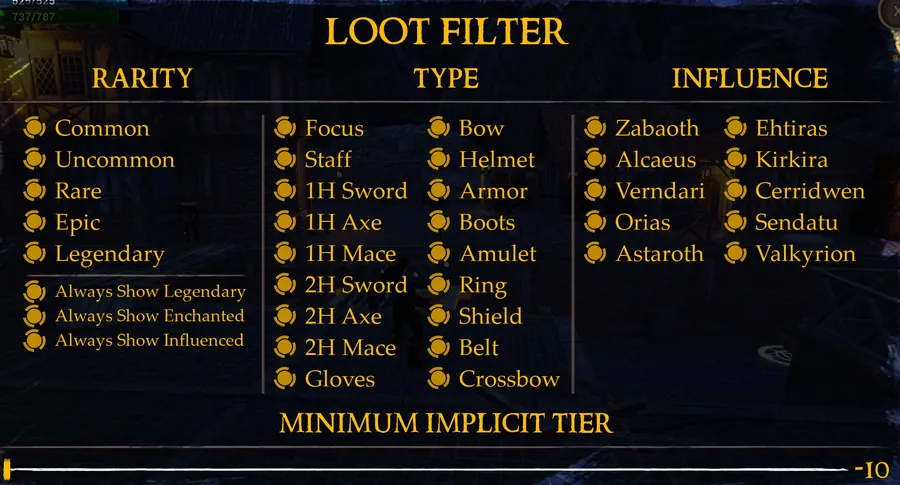
Loot Filters can be accessed via hotkey, radial menu, or the game menu at the bottom left of the screen while in-game. Items that don't match the filter options you set will not be shown or looted while playing. Re-enabling filter options after items have spawned will reveal them and allow them to be looted. Loot Filter settings are saved per character.
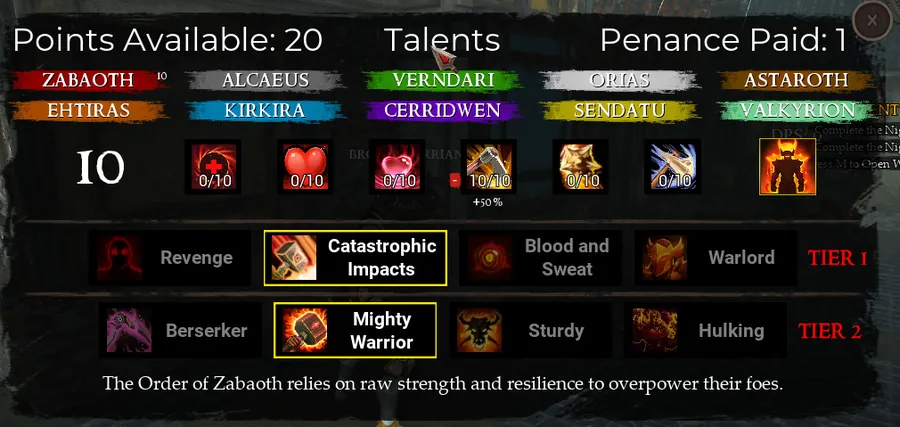
After investing 5 points into a talent tree's passive stat bonuses, you can select a Tier 1 talent from that tree. After investing 10 points into a tree, you gain that tree's Super and can select a Tier 2 talent. You can spend your talents across as many (or as few) trees as you like.
You can drop items into the world to share with other players by dragging and dropping them into the center of your screen.
Break items in your inventory using the Break button for a chance to create crafting items, including some which can't be bought from the merchant.
Loot drops independently for each player. Any loot you see is yours!
You can right-click an ally's portrait to inspect, trade, or kick them from the party.
While dragging a stackable item, hold Shift while releasing on an empty slot to open a dialogue which will allow you to split that item into multiple stacks.
Press F1 by default in game to cycle through Player nameplate visibility options (Show All, Self Only, Others Only, None).
Press F2 by default in game to cycle through Summon nameplate visibility options (Show All, Self Only, Others Only, None).
Companions are NPC allies recruited from Vangela, the Companion Manager in Town. They equip items and use any equipped skills they meet the requirements for, have the full talent tree and their own customizable Utility Flask, and can be told which skills to use from their loadout. You can have up to 3 Companions, and a party holds 4 members in total. Each Companion scales enemies like an extra player (75% more Health, 100% more Resilience). Companions always match your level, and gear above your level is returned to you.
All companions created by Hardcore characters will also be Hardcore. Hardcore characters can only recruit Hardcore Companions.
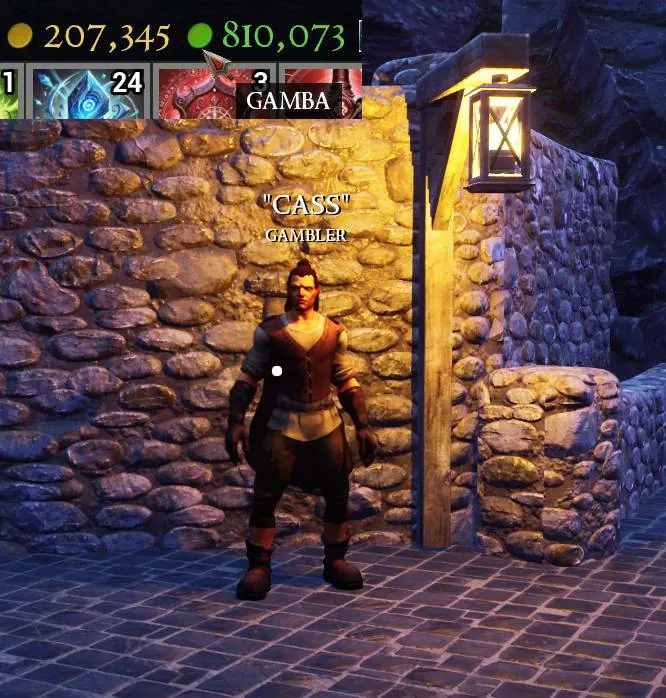
Gamba is a currency that can be exchanged for items from Cass the Gambler. These items have a high chance to be high quality, influenced, enchanted, or legendary.
Hardcore characters have one life: death deletes the character. They keep separate gold, stash, Crusadium, Gamba, crafting items and Hellcinder, but share account unlocks such as Crusade Tiers and maps, transmog appearances, achievements and the Crusade Tree.
Mystara, the Transmogrifier in Town, changes the appearance of your equipment and your Companions' equipment for 100 gold per piece. Every item that enters your inventory unlocks its appearance account-wide.
Granny, the Arena Master in Town, keeps the leaderboards. Arena maps are chosen from the War Table. Clear the Act 1 Arena to unlock the Infinite Arena, and the High Arena to unlock the Infinite High Arena. Every fifth wave is a boss and each round adds 5 enemy levels. Scores are uploaded when every party member is level 30 or higher.
While dead you spectate your allies. Press the Spectate Next key to cycle between them and back to your own body, and the Spectate Camera key (right mouse by default) for a free camera around the ally you are watching.
Hold Interact next to a downed ally to revive them. Several rescuers can revive together and share the channel; if one steps away the revive slows instead of stopping. Companions revive downed players and each other when out of combat. Hardcore characters cannot be revived.
Every piece of equipment has mods which add power to your character. These mods are separated into Implicit Mods (top line), and Explicit Mods (bottom lines). Higher rarity equipment has more mod slots for mods to roll.
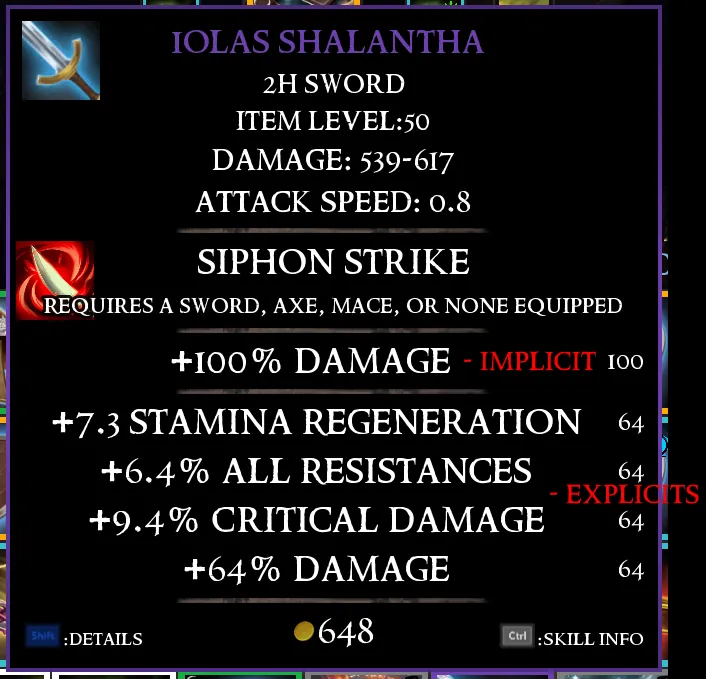
The strength of a mod is determined by its mod level. Each mod on an item has a base level of either the equipment's level, or the level of the Runestone used to reroll its mods, whichever is lower. You can expose the mod levels on equipment by holding Shift.
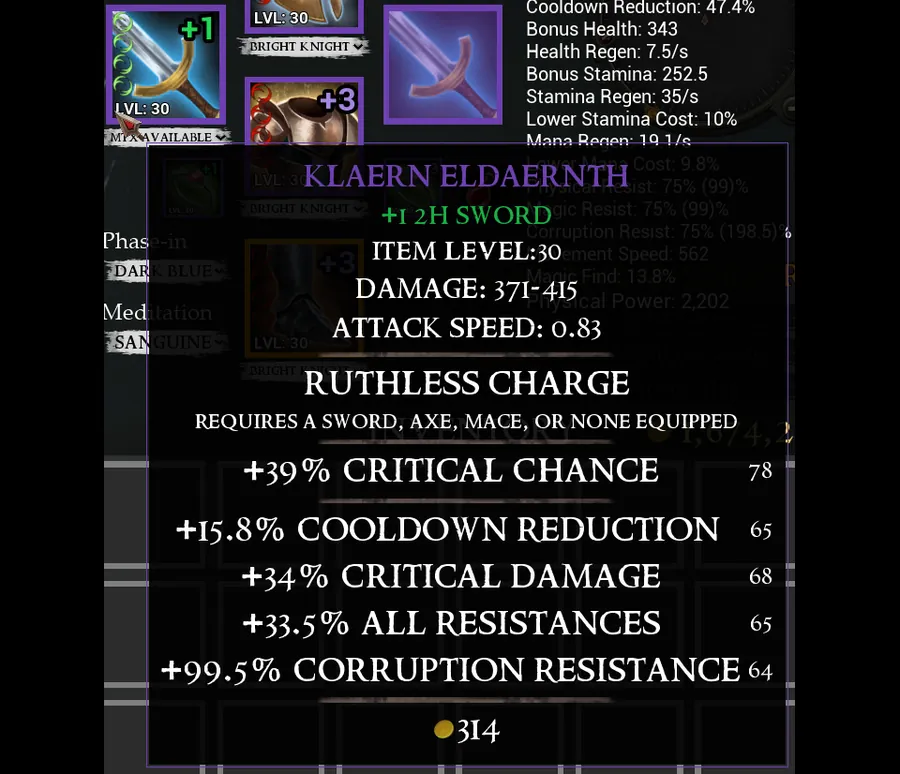
Each mod has a tier from -5 to +7, which adds or removes 2 mod levels per tier. Dropped gear rolls between -4 and +4, and gear from stronger enemies is more likely to roll high tiers. Order influence shifts influenced mods up one tier and other mods down one. Favored crafting items roll higher tiers than ordinary drops, and a Judgment can raise a mod's tier all the way to +7.
Physical weapons can be enchanted with special effects to enhance your combat effectiveness. Can be applied to Physical Weapons and Shields. Binder can apply Level 1 Enchants for 1H Weapons and up to Level 2 Enchants for 2H Weapons.
Armor and caster weapons can be enchanted to enhance your skills with various bonuses. Belts and jewelry are too small to hold any enchantments. Binder can apply level 2 Enchants for Staffs and Level 1 Enchants for Focuses and Armor.
Chest armors naturally roll Health, Mana, or Stamina implicit mods at twice the normal level. Twists of Fate will cause this bonus to be lost. Find the right chest armor for your build!
Helmets roll their natural implicit mod at twice the normal level. Twists of Fate will cause this bonus to be lost. Helmets avoid rolling Max Health, Mana, and Stamina mods naturally, unless the item's influence allows it. Find the right helmet for your build!
Shields, Gloves and Two-Handed weapons roll their natural implicit mod at twice the normal level. Twists of Fate will cause this bonus to be lost.
Amulets and Rings are rare pieces of equipment with special properties. They always drop with 2 implicit mods only, both mods can roll any mod, even those only accessible via Twists of Fate. Mods roll at 75% strength on Amulets and 37.5% strength on Rings. Higher rarity drops = higher base mod level instead of more mods, as follows: White = -5 Green = +0 Blue = +5 Purple = +10
Items can drop with influence from one of the world's Knight Orders. Items with these influences roll mods under the order's influence more often than normal, can roll implicit and explicit mods that are normally impossible to roll, and roll mods affected by the influence one tier higher than normal, however, mods that are not under the order's influence are rolled one tier lower. Influence can also be added to equipment with a new item, the Sphere of Influence. Spheres of Influence carry a level like Runestones, and can only be used on equipment of an equal or lower level. Binder can use a Sphere of Influence to add the influence of any Knight Order to an item. Spheres of Influence are available as a quest reward for every quest after the first, can drop from any boss, and can be won by breaking an influenced item.
Special effects can be added to your Utility Flask as you level up by using Binder's Flask Crafting menu in Town. All characters start with 1 Flask Point and gain an additional Flask Point every 5 levels.
Ctrl + Shift click to toggle equipment's lock state. While locked, it cannot be affected by crafting items, offered for trade, sold, or broken.
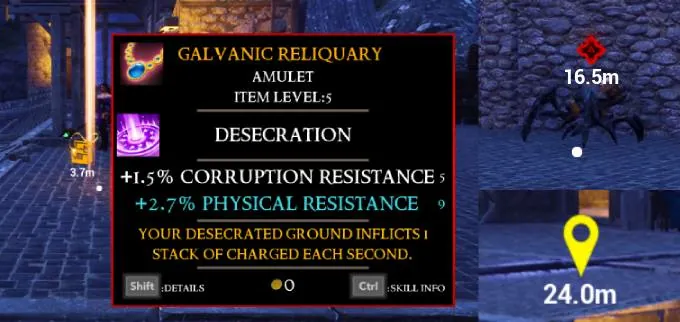
You can use the Show Skill Information binding while inspecting an item to see details of the skill that it grants.
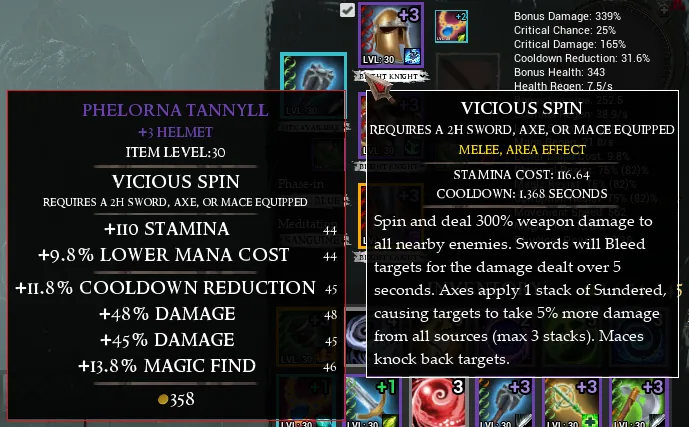
Every quest reward includes a Skill Core. Right-click it to shape it into a Dying Wish of any skill. Use a Dying Wish on a piece of equipment to replace that item's skill. Scarlett, the Skill Merchant in Town, sells Dying Wishes for 1000 gold, and a Last Word extracts an item's skill into a Dying Wish, destroying the item.
Equipping 2 focuses with the same ability will give you 2 copies of the skill on your skillbar with independent cooldowns.
The Defender Damage mod increases all damage while wielding a shield.
Some items can be combined into different items or more powerful versions. Item tooltips show what an item combines into. Double click an item to combine it. Ctrl clicking an item will attempt to use 10 items from a stack for combination at once. The Combine Runes buttons in your inventory combine every rune, or every rune up to your level, in one click.
Mana Efficiency and Stamina Efficiency lower the cost of skills, with diminishing returns. Formula: Final Resource Cost = Base Cost / (1 + (Total Efficiency / 100))
Any item can be linked to chat by Ctrl + Right-clicking it. Click a linked item in chat to preview it worn on your character.
Press the Weapon Swap key or the swap button on the equipment screen to switch between two full weapon sets. Stats, enchants, legendary effects and weapon skills all follow the active set. You cannot swap while casting, stunned, dead, or in Bear or Wolf Form.
With a merchant open, Shift + Left-click sells an item; with the stash or crafting window open the same click moves it there. Shift + Right-click equips a weapon to your offhand. Hold Shift over an item for its detailed stats and offhand comparison.
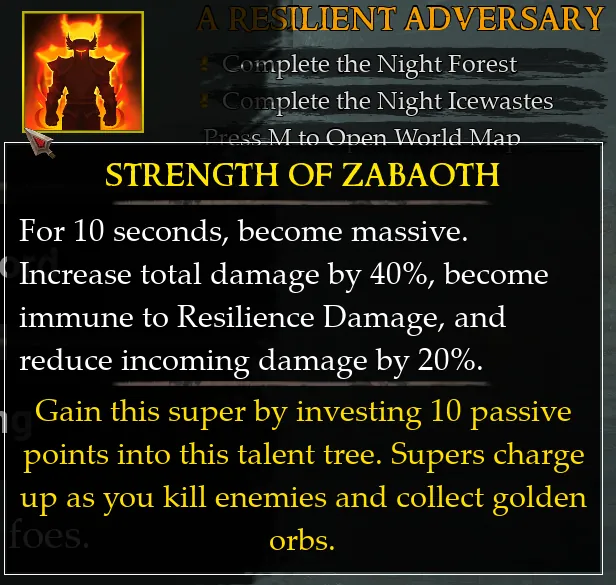
Supers are powerful abilities earned by investing heavily into a talent tree. Each talent tree has 1 Super, granted at 10 points in that tree. Supers must charge up before being used. Super charge is gained by killing enemies and collecting golden orbs. You can have up to 5 Supers at one time, on 3 to 7 by default.
Your Health Flask restores 30% of your Maximum Health. It holds up to 3 uses. Killing enemies and picking up Flask Refill drops will refill your Flask.
Utility Flasks apply all Flask Effects gained from Flask Crafting. It holds up to 3 uses. Killing enemies and picking up Flask Refill drops will refill your Flask.
All hits deal Resilience Damage, displayed as a gold bar beneath a creature's health. When a creature's Resilience reaches zero, it will be staggered for a moment, and its Resilience will be reset to full. Spells deal less Resilience Damage. Lightning skills deal more Resilience Damage. Critical Strikes deal 10% more Resilience Damage and Supercrits 20% more.
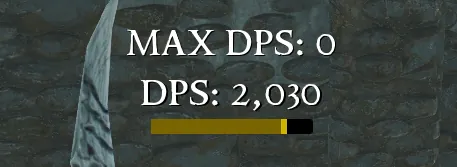
Critical Strikes deal increased damage based on your Critical Strike Damage and also deal 20% more Resilience Damage per critical stage.
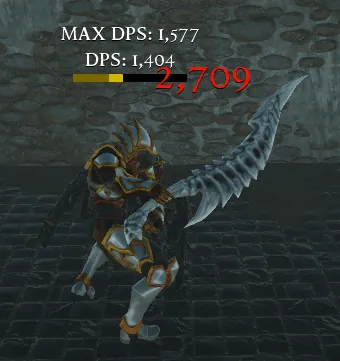
Critical Strike Chance which exceeds 100% creates a chance to Supercrit. Supercrits are shown in red text and increase the damage of a hit by 25%. This effect can stack.
Hitting enemies from behind with melee weapons deals 30% increased damage. Headshots with arrows deal 50% increased damage.
"Boons" are buffs applied by teammates. Boon Intensity mods make these buffs more powerful.
Lifesteal effects store stolen health in a Spell Effect called Blood Pool, up to 50% of your Maximum Health. Health stored in Blood Pools is recovered over 5 seconds. Blood Pool is removed at full health.
Hold the Show Stats key to see stats for you and all allies: level, kills, damage done and received, deaths, healing and revives. Also hold the Previous Map Stats key (Left Ctrl by default) to see the whole team's results from the previous map.
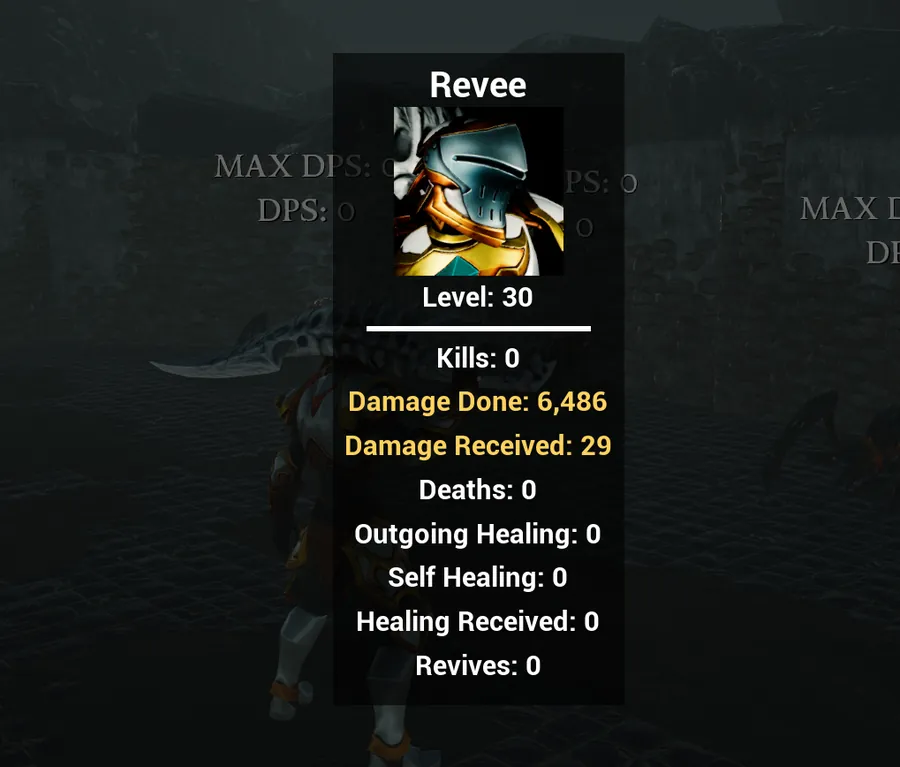
Physical attacks deal Physical damage. Magic attacks deal Magic damage. (duh.) Elite and Boss enemies deal a portion of their damage as Corruption damage.
Enemies turn red when performing Blockbreaker attacks. Blockbreakers deal double Resilience Damage and break blocks and temporary shields.
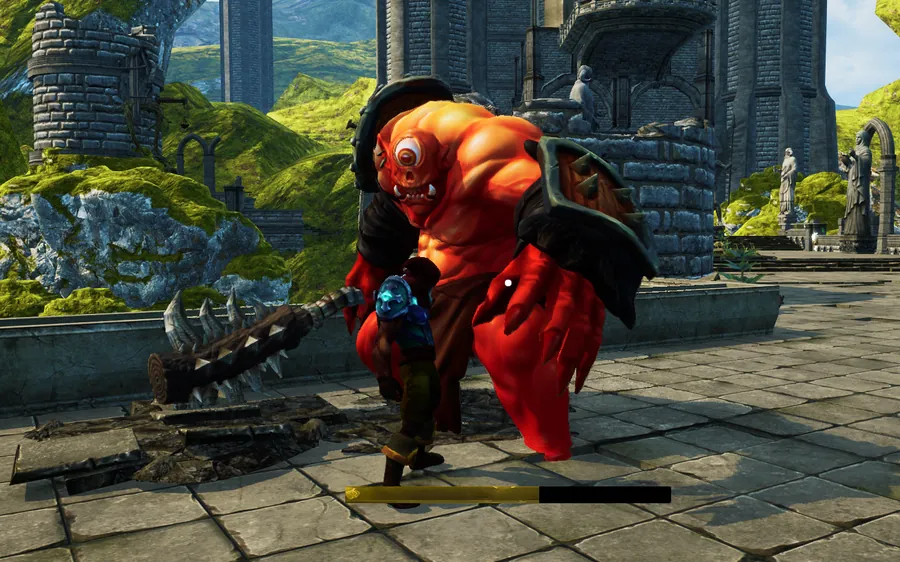
You can rearrange skills on your hotbar via drag-and-drop or by right-clicking to select a skill. Hold the Toggle Hotkey Row key (Left Ctrl by default) to swap slots 3 to 5 for skills 6 to 8, or turn on Show All Skills in the settings to see all 8 slots at once.
Every additional party member gives enemies 75% more Health (90% for Elites, 110% for Bosses) and 100% more Resilience. Companions count as party members. Enemy damage does not scale with party size.
Pact Minions are powerful, permanent minions that apply a Pact Effect to you and all of your minions. Every Pact Minion has a different Pact Effect. Pact Minions don't cost mana, and instead require a Health Flask use to summon. A player can only have 1 Pact Minion active at a time, or 2 while wearing the Overlord helmet.
Applying Bleed damage to an enemy will cause that damage to be dealt over 5 seconds.
Chill reduces the target's movement and attack speed by the stated percent. When a target accumulates a total of 100% Chill, they become Frozen for 2 seconds and take 50% Combined Weapon Damage. Targets become 50% harder to Freeze each time.
Each stack of Poison deals 25% Combined Weapon Damage over 5 seconds and has an independent duration from other stacks. No stack limit.
Hindered slows an enemy's movement and attack speed by a percentage stated on the effect.
Rooted stops an enemy from moving entirely. Damaging a Rooted enemy breaks the root. Bosses cannot be Rooted.
Taunting an enemy will force it to attack you. If a target is taunted by multiple opponents, it will prioritize the target with higher Threat.
Causing damage to an enemy will build Threat equal to the damage dealt. Enemies will attack the target that has generated the most Threat.
While charging a bow shot, releasing between 75% and 90% will release the arrow as a fully charged Perfect Shot. Watch for the shine and sound.
Ethereal Chains reduces movement speed by 25%. Vulnerability increases the damage taken by the target by 15%. Enfeebled reduces the target's damage by 15%. Deathmark causes the target to die at 15% health. Torment inflicts damage over time equal to 40% Combined Weapon Damage per active Curse on the target per second.
Enemies standing on this area grant 6 Shadow Offering on Hit. Desecrated Ground absorbs nearby Curses and continuously applies them to all nearby enemies. Duration resets after each added Curse.
Ping enemies, location, and items to quickly point them out to your teammates. Minions and Companions will aggro to pinged enemies.
Hold an attack key to make the swing heavy. Heavy attacks deal 1.875x weapon damage (2.5x for a shield bash), deal extra Resilience Damage and lock you in place while they swing. If you prefer holding for light attacks, enable Hold For Light Attacks in the Gameplay settings and bind a Heavy Attack key instead.
Primal skills build Primal Charge on hit, up to 100. It only builds in combat and fades 6 seconds after your last gain. Primal spender skills consume it; the cost is shown on the skill's tooltip.
Shadow skills, Curses and Bleed build Shadow Offering, up to 200. It only builds in combat and fades 6 seconds after your last gain. Shadow spender skills consume it. If you are short, the difference is paid from your Health.
Divine skills build Divine Fury, up to 3 stacks, fading 6 seconds after your last gain. Divine spender skills consume stacks. Standing in your own Consecration gives a 30% chance to gain an extra stack.
Inscription support skills grant a Glyph (Ward, Rend or Blight) when used, as long as Verse is on your bar. You hold up to 3. At 3 Glyphs, cast Verse to consume them; the most recent Glyph decides the effect: Ward shields nearby allies, Rend loads the party's next physical hit with heavy Resilience Damage, and Blight makes your hits apply Wicked Resonance.
Bear Form and Wolf Form are skills that roll on gear like any other. While shifted you get a new skill bar; only instant-cast and transformation skills remain usable and you cannot block. Forms cost 30 mana per second, reduced by Mana Efficiency, and the fifth slot ends the form. Companions can use forms too.
Hold the Skill Modifier key (Left Alt by default) and press a summon skill's key to dismiss that summon, or a trap skill's key to destroy your traps of that type.